Gradient Studio
26 Nov, 2018
Gradient Studio
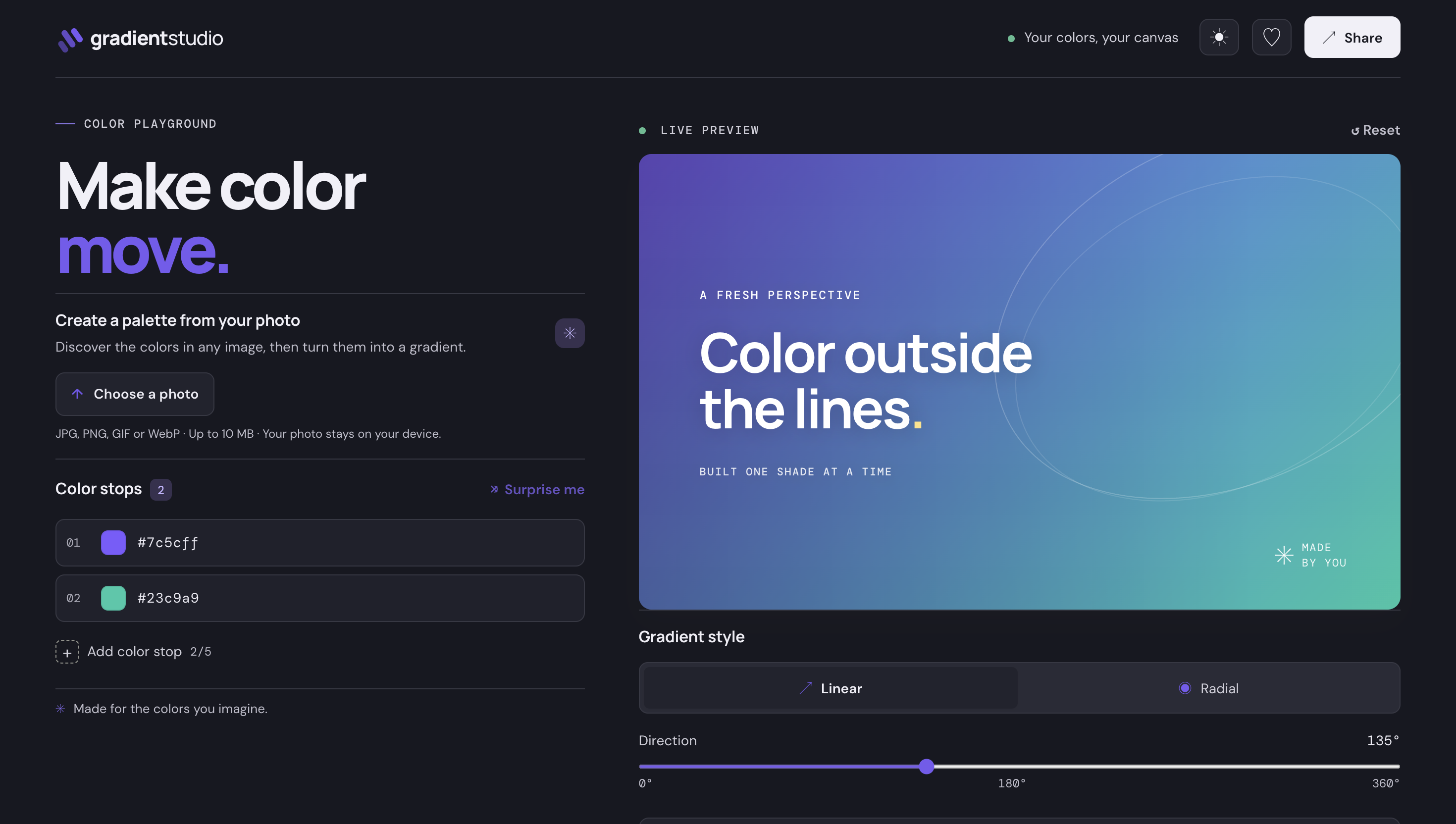
Create, customize, and share beautiful CSS gradients with ease. Gradient Studio lets you extract colors directly from photos, preview gradients in real‑time, and export ready‑to‑use code snippets for any project.
Key Features
- Photo color extraction – pick any image and pull dominant hues.
- Live gradient preview – adjust angle, stops, and opacity instantly.
- Customizable stops – add, remove, or reposition color stops.
- Export options – CSS, SCSS, Tailwind config, or SVG.
- Shareable links – generate a unique URL to showcase your gradient.
- Dark/light mode UI – built with Tailwind CSS for responsive design.
Tech Stack
Built with JavaScript, Angular, and TypeScript. The UI leverages Tailwind CSS for rapid, utility‑first styling and ensures a pixel‑perfect experience across devices.
How It Works
- Upload or drag‑and‑drop an image onto the canvas.
- The algorithm analyzes the photo and suggests a palette of dominant colors.
- Select the colors you want, adjust gradient angle and stop positions.
- Preview the gradient live; fine‑tune with opacity and hue sliders.
- Click “Export” to copy CSS or generate a shareable link.
Why Choose Gradient Studio?
Whether you’re a designer seeking the perfect background, a developer needing quick CSS snippets, or a team looking to collaborate on color palettes, Gradient Studio streamlines the workflow. Its intuitive interface, powerful extraction algorithm, and seamless sharing capabilities make it an essential tool for modern web projects.
Frequently Asked Questions
Live preview
Open in a new tab for the full experienceTags
Recent Posts