Pixel Press
11 Oct, 2026
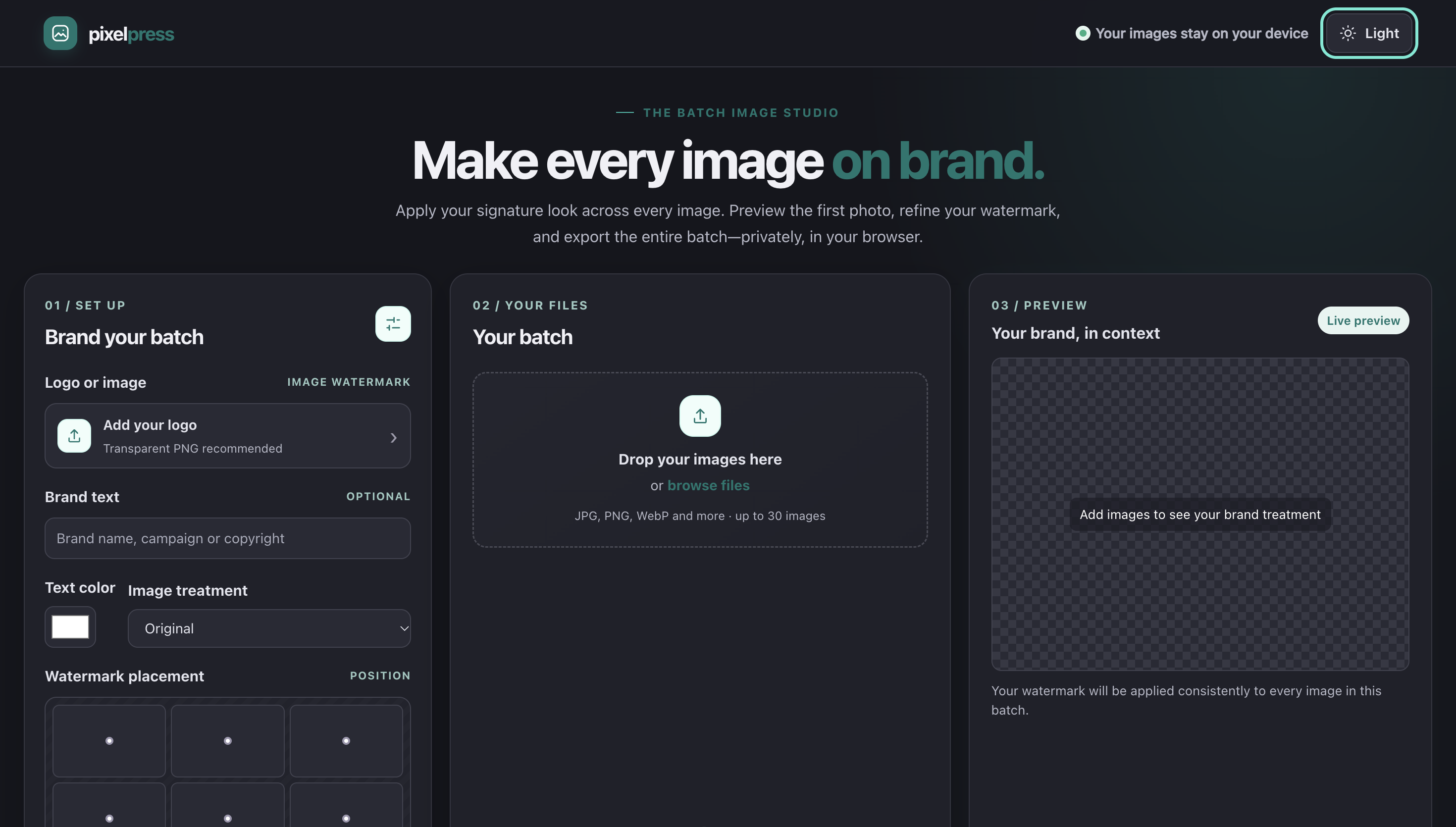
Pixel Press: Private Browser-Based Image Watermarking & Batch Processing
Overview
Pixel Press is an innovative, privacy-first tool designed for creators and studios who require secure, on-device batch processing and watermarking of images without uploading to external servers. In today's digital landscape, where data privacy and intellectual property protection are critical concerns, Pixel Press addresses these challenges by ensuring all processing remains local to the user's device.
This browser-based solution enables users to queue, organize, and efficiently process multiple images in a single workflow, applying customizable watermarks that include text, logos, adjustable positioning, opacity, and shadow effects. A real-time preview pane updates instantly as settings change, eliminating the need for repeated exports and allowing precise visual adjustments before finalizing assets.
Key Features
✓ Private On-Device Processing
All high-resolution images are processed locally, never transmitting sensitive visual assets through third-party networks, reducing latency and security risks.
✓ Batch Processing Workflow
Streamlines preparation of images for client delivery, publishing, or archival with drag-and-drop controls and keyboard shortcuts.
✓ Customizable Watermarks
Full suite of watermarking tools including text, logos, adjustable positioning, opacity controls, and shadow effects.
✓ Real-Time Preview
Interactive preview pane updates instantly with setting changes for precise visual adjustments without repeated exports.
Target Applications
Whether you are a freelance photographer managing client proofs, a design studio prepping assets for multiple campaigns, or a creative professional safeguarding proprietary work, Pixel Press provides a reliable, privacy-first solution that combines the power of batch processing with the security of on-device execution.
Technical Approach
Built with modern web technologies including Angular and TypeScript, Pixel Press delivers a responsive and efficient user experience. The architecture prioritizes offline functionality and secure environments, making it ideal for workflows where confidentiality of visual content is paramount.
The commitment to local processing does not compromise functionality — users gain access to a comprehensive suite of watermarking tools, export settings, and preview options that rival desktop applications, all within a browser tab without internet connectivity requirements.
Core Benefits
- › Enhanced Security: Eliminates risks associated with uploading sensitive images to third-party servers.
- › Improved Efficiency: Real-time previews and keyboard shortcuts minimize export cycles and accelerate workflows.
- › Offline Capability: Functions entirely within a browser tab, supporting secure environments without internet access.
- › Professional Results: Comprehensive toolset rivals desktop applications for client-ready image preparation.
Tags
Recent Posts